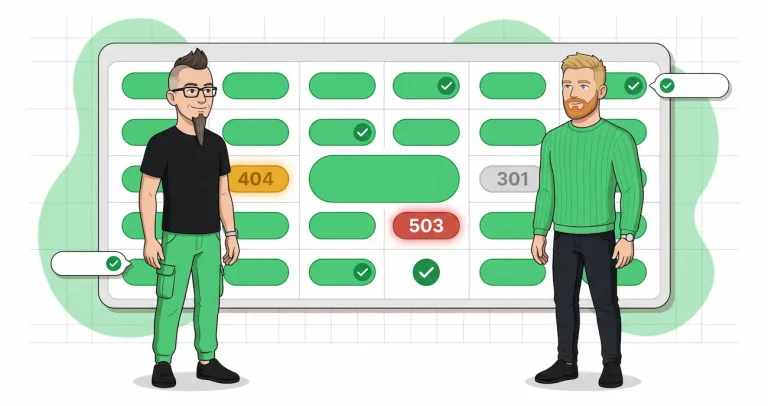
Is your robots.txt quietly blocking your best pages in Google Search? Here’s how to find out!
One misplaced line in robots.txt can de-index an entire product category overnight, and because nothing breaks visually, nobody notices until organic traffic dips three weeks later. We built a free bulk tester so any SEO — or any curious CMO — can paste a list of URLs and a robots.txt and see, in a couple of seconds, which pages a given crawler is allowed to visit and which it isn’t. It is live at wygard.com/tools/robots-txt-tester, and it’s what the rest of this article is built around.
For CMOs — four questions worth asking your SEO person
You don’t need to read a single line of robots.txt to know whether this is handled well. You just need to ask:
- “When the dev team ships a
robots.txtchange, who checks it before it goes live?” If the answer is “they tell us after” — that’s a bug. - “How would we find out if someone accidentally added
Disallow: /tomorrow?” If the answer involves noticing a traffic drop in GA, that’s days or weeks of lost revenue. - “Do we test the important URLs against the new
robots.txtbefore every release, or only when something feels off?” - “Are we monitoring
robots.txtautomatically, or relying on a human to remember?” Humans forget. Monitoring doesn’t.
If any of those answers feel shaky, keep reading — or forward this to whoever owns it.
Why a bulk tester at all
If you’ve poked around the SEO tooling landscape, you’ve noticed that the standard robots.txt testers — Google’s retired one, the one at technicalseo.com, Spotibo’s checker, WebsitePlanet’s — all share the same limitation: you paste one URL and you get one verdict. That’s a reasonable design for the “is this specific blog post reachable by Googlebot?” moment, but it’s a hopeless fit for the moment that actually matters, which is release time.
At release time you don’t want to know about one URL. You want to know about your hundred most important URLs, and you want to know which rule inside robots.txt is the one deciding each verdict. A single-URL tool forces you to run a hundred tests by hand, which nobody does, so nobody tests, so nobody catches regressions.
Our tester lets you paste up to a hundred URLs, pick a crawler user-agent from a full dropdown (or type a custom one), and get back a table: URL, Allowed or Blocked, and the exact line of robots.txt that produced that verdict.
You can load the robots.txt by fetching it from a domain — through our own CORS proxy, because browsers can’t fetch cross-origin robots.txt directly — or by pasting the content from a staging file that hasn’t been deployed yet. Everything runs in your browser. URLs don’t touch our backend, and there’s nothing stored between sessions.
That’s the product. The rest of this article is about the parts of robots.txt that bite people, the traps that even senior SEOs occasionally fall into, and how to build a release workflow that catches the damage before it’s public.
Google-faithful parsing, and why that phrase matters
Most lightweight robots.txt checkers parse the file with a regex and a best-effort reading of the spec. That works for the obvious cases: Disallow: /admin/ blocks /admin/ for the user-agent above it, fine. But robots.txt has several sharp corners where a best-effort parser quietly disagrees with Googlebot, and when that happens your tool tells you a page is blocked that Google actually crawls, or — worse — tells you a page is allowed that Google actually refuses to fetch. We modelled our parser on RFC 9309 and Google’s own documentation, with an upgrade path to the Google robotstxt C++ library compiled to WebAssembly for byte-exact verdicts.
The corner that catches the most people is longest match wins, not first match. If robots.txt contains both Disallow: /admin/ and Allow: /admin/public/, then a URL like /admin/public/page is allowed, because the Allow pattern is longer (14 characters vs. 7) and therefore more specific.
Ties go to Allow, by rule. A surprising number of tools apply the rules top-to-bottom and return the first match, which produces exactly the opposite verdict. If you’ve ever debugged a “but the tool said it’s blocked and Googlebot crawled it anyway” case, this is usually it.
The second corner is user-agent matching is prefix-based. Crawlers identify themselves with tokens like Googlebot-News, Googlebot-Image, AdsBot-Google-Mobile. When Googlebot-News reads robots.txt, it looks for the most specific group whose user-agent line is a prefix of its own token. So a block labelled User-agent: Googlebot applies to Googlebot-News, because googlebot-news starts with googlebot.
But the reverse is not true: a block labelled User-agent: Googlebot-News does not apply to plain Googlebot. This gets people when they intend to block image indexing by adding a Googlebot-Image group — the group is created, the rules are there, but the regular Googlebot keeps crawling images via whatever the * group allowed, because googlebot is not a prefix of googlebot-image.
The third is the AdsBot quirk, which is documented but almost nobody reads the doc. AdsBot-Google, AdsBot-Google-Mobile, and Mediapartners-Google ignore the global User-agent: * group entirely. If your robots.txt has a blanket Disallow: / under * and you assumed that meant “nobody crawls this site”, you were wrong for those three crawlers.
To actually block them you need their own named group. Our tester surfaces this automatically: when you pick an AdsBot-class token, the verdict accounts for the fallback exception, and the tool also warns you when the AdsBot block is missing from a file that otherwise disallows everything under *.
The fourth is the 500 KiB cutoff. RFC 9309 tells parsers to stop at 500 KiB, and Googlebot does. If your robots.txt is larger than that — which usually happens on ecommerce sites that list thousands of facet-filter paths — everything past the cutoff is invisible to Googlebot regardless of what it says.
Our tester truncates to the same limit and tells you at fetch time: it shows you the actual byte count and switches to a red warning banner if the file is oversized, because every robots.txt tool that doesn’t do this will quietly give you verdicts based on rules Googlebot never read.
The fifth is percent-decoding. Paths are decoded per RFC 3986 before matching against the rule pattern. Disallow: /caf%C3%A9/ and Disallow: /café/ match the same URLs, and a URL like https://example.com/caf%C3%A9/menu matches both. A tool that compares raw encoded strings will disagree with Googlebot on every internationalised URL on the site.
The traps that aren’t about parsing
Even if your parser is perfect, there are three things about robots.txt that regularly catch teams off guard.
The most consequential is that Disallow is not the same as noindex. Blocking a URL with Disallow tells crawlers not to fetch it. It does not remove it from the index. If the URL has external links pointing to it, Google can — and does — show it in search results as a bare URL with no title or snippet, because the crawler is allowed to know the URL exists (from the link graph) but not allowed to fetch the page to see what’s on it.
To actually remove a page from the index, you need a noindex directive on the page itself, which means the crawler has to be allowed to fetch the page and read the meta tag. Disallowing a page you want de-indexed is a common self-inflicted wound: the URL stays in Google’s index permanently, as a stub.
The second is that robots.txt is scoped to the exact origin triple: protocol, host, and port. The file at https://shop.example.com/robots.txt does not apply to https://www.example.com/, and it does not apply to http://shop.example.com/ either. Each subdomain, and each protocol, needs its own file.
Most medium-sized sites have at least two subdomains in production — a main site and a shop, or a main site and a help centre — and it is shockingly common for one of them to be shipped without any robots.txt at all, or with a copy-pasted one from a sister subdomain that no longer matches what’s there.
The third is timing. Google caches robots.txt for about 24 hours. If you deploy a fix at two in the afternoon, it isn’t live for Googlebot until some point the following afternoon, and the distribution of “some point” is wide.
When you roll back a bad robots.txt change, the rollback takes effect at the crawler with the same lag. This matters on Friday afternoon deploys in particular: if you ship a broken file at 5pm Friday and notice it at 10am Monday, Googlebot has had the broken version in cache the whole time.
The behaviour under HTTP errors is a related gotcha. Most 4xx responses (404, 403, 410) are treated as “no robots.txt exists, crawl freely.” 429 Too Many Requests and 5xx errors are treated as transient — Googlebot backs off for about twelve hours, then falls back to the last-good cached version for up to thirty days.
This fallback is usually a feature, because it keeps a temporarily-broken origin from wiping out your crawl rules. But it also means that a robots.txt which starts returning 500 after a bad migration can mask the problem for a month. During that month you’re running on a cached file whose rules might no longer match the current URL structure of the site.
A release-time workflow that actually catches things
The point of the tester is not to replace any single part of an SEO audit. It’s to turn a ten-minute manual check into a thirty-second automated-feeling one, so that people actually do it.
The workflow that works in practice looks like this. Pull your top 50 to 100 organic-traffic URLs out of Search Console — the pages that actually earn the site’s money. Keep that list somewhere reusable; a Google Doc or a snippet in your team wiki is fine.
When a release includes a robots.txt change, grab the staging version of the new file, paste it into the tester, paste your URL list into the second box, pick Googlebot, and run. Filter the results by Blocked.
Anything in that list that shouldn’t be there is the bug, caught before deploy, visible with the exact rule line that’s causing it so the developer can see what to fix. Then repeat for Googlebot-Image if image search drives traffic for you, and for AdsBot-Google if you run Google Ads landing pages and need the ads quality crawler to reach them.
That’s the whole workflow. It’s boring, which is why it works: the moments that catch regressions are the boring repeated checks, not the heroic debugging session three weeks after the damage.
Checking once isn’t the job — monitoring is
The tester catches issues at release time, which is the single most valuable moment to catch them. But robots.txt doesn’t only change at release time. It changes when a CDN deploys a new config, when a junior developer experiments on a Friday, when a migration rewrites paths, when a security engineer adds a block and forgets to tell anyone. By the time you notice the traffic drop in analytics, the thirty-day cached-fallback window is long closed and the damage is live.
That’s the whole reason Wygard exists. Continuous monitoring of robots.txt, indexing rules, canonicals, and the other technical-SEO settings that silently break rankings — a short alert the moment something changes on a page that matters to you, not a full-site crawl three days later. The free tester is honest work on its own; if you find yourself reaching for it every release, that’s the signal that you want the monitor running the other 29 days of the month too.
Start with the tester. If the verdicts feel worth watching, Wygard watches them for you every day after that.