Two new lines in robots.txt were the first sign of a hack
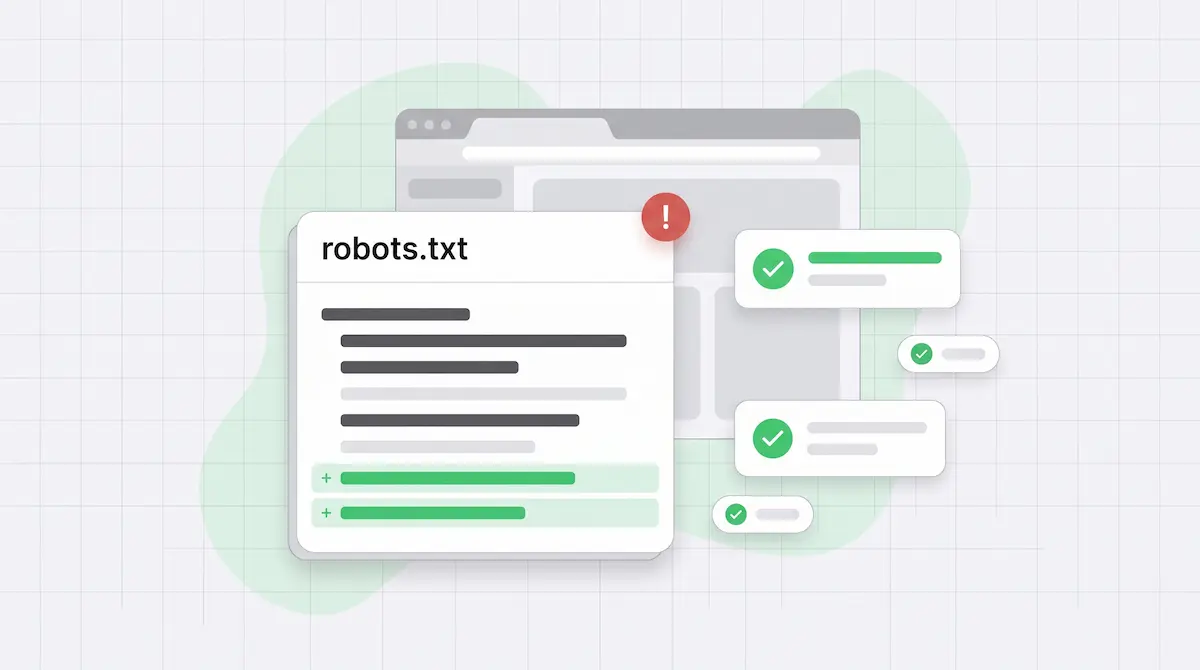
On Day 1, at 8:07 am, an email titled “Danger: robots.txt change detection” landed in my inbox. It came from the monitoring I had on a client’s blog, and it listed the current content of the file. Everything looked familiar until the last two lines:
Allow: /
Sitemap: [a sitemap URL the SEO plugin never generated]
Nobody on the team wrote those lines. Nobody on the team writes anything in that file, ever. That is exactly why they mattered, and I still didn’t look at them properly until the next day.
A file nobody touches should not change
The client runs an online store with a blog next to it. The blog lives separately, on WordPress, on a subdomain. Its robots.txt is generated by the SEO plugin. Neither the marketing team nor the developer edits it by hand, and nobody had deployed anything to the blog.
So a change in that file has a short list of possible causes. A plugin update can rewrite it. Someone can change a setting in the plugin. Or someone who shouldn’t have access to the server is writing to it. The first two come from the plugin and look like the plugin’s output. A bare Allow: / appended at the bottom, plus a second Sitemap: directive pointing to a URL the plugin never uses, looks like neither.
The Allow: / line on its own changes little for Google, which follows the most specific matching rule. The extra Sitemap: line is the one with a purpose. It tells search engines where to find a list of URLs, and that list wasn’t the client’s.
What we found once I looked
The site had been infected on the afternoon of Day 0. We know because we later found the timestamp inside the malware. The same day at 5 pm, a scheduled check of the blog’s robots.txt registered the change. The email arrived the next morning.
Late in the morning of Day 1, the security plugin raised its own warning: modified WordPress core files and an administrator account created outside WordPress. So robots.txt wasn’t the only signal. It was the first one on record.
When I finally sat down with it on Day 2, the diagnosis took a few minutes:
- robots.txt was no longer a plain file. It was being served dynamically, with a 30-day cache header.
- The sitemap index had been hijacked and was full of foreign product URLs in English, on a blog that doesn’t publish in English and doesn’t sell anything.
- Spam “doorway” pages on the blog answered with
200, just like real articles.
The 30-day cache header deserves a note. Any cache in between that honors it can keep serving the compromised version after you restore a clean one. When you find a header like that, the fix isn’t done when the file is clean.
Without the alert, there was nothing to see
Here is the uncomfortable part. Take the robots.txt alert away and look at what was left.
The blog loaded fine. Articles looked like articles. The store next to it kept selling. The first email from Google Search Console came on Day 2, and it was about non-critical Merchant listings issues. No security warning from Google came at all.
The security plugin did speak up a few hours after the robots.txt email. That still depends on someone reading it and acting, which, as you’ll see below, is the weak link. For an outsider watching the blog, robots.txt was the first visible trace.
The comeback looked clean in a browser
We cleaned the blog. About two weeks later the infection came back in a different form, this time with cloaking. A normal browser requesting one of the spam URLs got a 404. The same request with Googlebot’s user agent got a 200 and the spam page.
That changes how you check. Open the site in your browser, click around, and it looks clean. It is clean, for you. Google gets something else.
Two rounds of cleanup failed, because a hidden watchdog restored the deleted files after we removed them. Meanwhile, the count of “Valid” (indexed) pages in Search Console jumped from 1,905 to 9,552.
If you suspect a compromise, check suspicious URLs the way Google sees them. Request them with Googlebot’s user agent, for example with curl -A, and run the live test in Search Console’s URL Inspection, which fetches the page from Google’s side. A browser response that differs from the Googlebot response is the fastest way to spot cloaking.
From the outside, the blog has been clean after roughly eight weeks. The leftover spam URLs now return 410, so Google drops them from the index. Along the way, a useful signal came from the same place as the first: another robots.txt change alert, this time showing the clean content coming back. Watching for changes also tells you when the fix has landed.
The 26 hours were on me
The email arrived at 8:07 am on Day 1. I acted on it on Day 2, roughly 26 hours later. There is no technical reason for that gap. The monitoring caught the change on the day it happened and put it in front of me the next morning. The alert did its job, and I didn’t do mine.
An alert is only as fast as the person who reads it. That is the lesson I took from this, and it comes down to one triage rule:
A robots.txt change on a site where nobody deployed anything jumps the queue. Ahead of ranking drops, ahead of Search Console emails, ahead of the content calendar. If the team didn’t change the file and no release went out, assume someone else did until you prove otherwise.
It helps to agree on this up front: who receives robots.txt alerts, who looks at them the same day, and what “looked at” means. A blog that sits next to a store and that nobody owns day to day needs that agreement more than anything else.
What to watch in robots.txt
Reading the whole file every morning doesn’t work. Nobody keeps it up for long, and two new lines at the bottom are easy to miss. What works is a line-by-line diff against the last known version, with these in mind:
- Any change without a deploy. If nobody released anything, a changed robots.txt is an incident until someone explains it.
- New
Sitemap:directives. Every sitemap URL in the file should be one you recognize and generate yourself. - Broad
Allow:rules. A newAllow: /that nobody asked for is a red flag, whatever its practical effect on your existing rules. - Sitemap URLs that aren’t live or aren’t yours. Open each one and check that every URL in it is a page you published on your own domain.
- Changes in how the file is served. A static robots.txt that turns dynamic, with a long cache header, has changed even if the text hasn’t.
If you want to know how a given robots.txt treats a specific URL, our robots.txt tester shows which rule matches. And a robots.txt change doesn’t need an attacker to hurt you. In an earlier case, a single syntax mistake in the file blocked Google from a site.
Where Wygard fits
This is the kind of change we built robots.txt monitoring into Wygard for. Wygard checks robots.txt every day, compares it with a stored copy, and shows you the added and removed lines, so you read the change instead of the file. The documentation of the check has the details.
The tool is the easy half. The other half is deciding who reads the alert and how fast. Trust, but verify—and when a file nobody touches changes, verify that day.
Zdeněk Dvořák, co-founder of Wygard